|
|
Berkeley Resources
|
![]() |
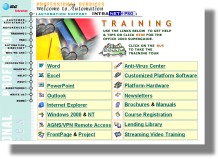
This training website was designed to support the law division of a large company. It included an automated website tour and many computer training tips and tutorials. |
![]()
![]() |
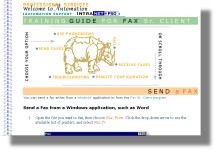
This fax training guide was written as an online reference manual so the troubleshooting section could always stay current. Clients could read the guide from start to finish, or jump directly to the topic needed. Quick reference tri-fold brochure versions were written for clients who wanted to keep one by their desk. |
![]()
![]() |
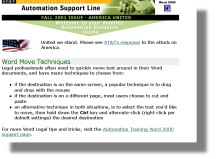
This training newsletter was emailed once a month to the user community. The newsletter included tips & tricks, best practices, and frequently asked questions. Old issues were archived on the intranet for anytime, anywhere client access. |
![]()
Berkeley Resources teachers have taught public adult school classes for Flemington and Watchung Hills NJ school districts, and St. Johns River Community College at Ponte Vedra Beach FL. Berkeley Resources teachers have taught corporate computer classes for Entre Computing Centers, AT&T, IBM, 3M, and many more.
![]()
Be aware of file metadata before you upload your document to the web or send it to others:
Add visual appeal to your spreadsheets and fit more columns on a page by rotating the column heading text to an angle. Select your column heading cells, and click the Format, Cells, Alignment tab. Adjust the angle of the text by dragging the orientation line or by typing the angle in degrees (e.g. 45).
Flag your emails that need follow-up. In the open message, click the Flag for Follow Up icon on the toolbar. Pick a Flag To: from the dropdown list or type your own in the box. To set an optional Reminder Date and Time, select from the dropdown list or type your own (e.g. mm/dd/yy, tomorrow noon, next week 9AM). You can set flags for messages you receive and also for messages you send.
Present your slide show with style - To emphasize points on the current slide, press Ctrl+P to switch the arrow to an electronic pen. Then hold down the left mouse button and drag to draw arrows or to circle items. These pen annotations are erased automatically when you move to another slide, or you can press E to erase them immediately. Press Ctrl+A to switch back to the arrow.
Double-click the blue title bar of a program window and it will automatically maximize to fill the screen (or restore to its last manual size).
To easily bookmark a favorite webpage, right-click on it, and select Add to Favorites (or Add to Bookmarks) from the shortcut menu.
You commonly catch computer viruses from opening an infected email file attachment, from running an infected file downloaded from the Internet, from an infected disk/CD/USB, or from an unprotected Internet connection. Be wary in those situations, use anti-virus software that you keep up-to-date, use an Internet firewall, apply Windows and Office critical updates, do not open unexpected email attachments, and back up your files regularly!
![]()